An SSD hard drive upgrade is the single most effective improvement you can make to a slow computer. Replacing an old spinning hard disk with a solid state drive cuts boot times from minutes down to seconds, eliminates lag when opening programs, and makes the whole machine feel brand new — without reinstalling Windows or losing a single file. At Complete Computer Consulting, we perform SSD hard drive upgrades for residents and small businesses throughout Danbury and the surrounding area, starting at just $95.
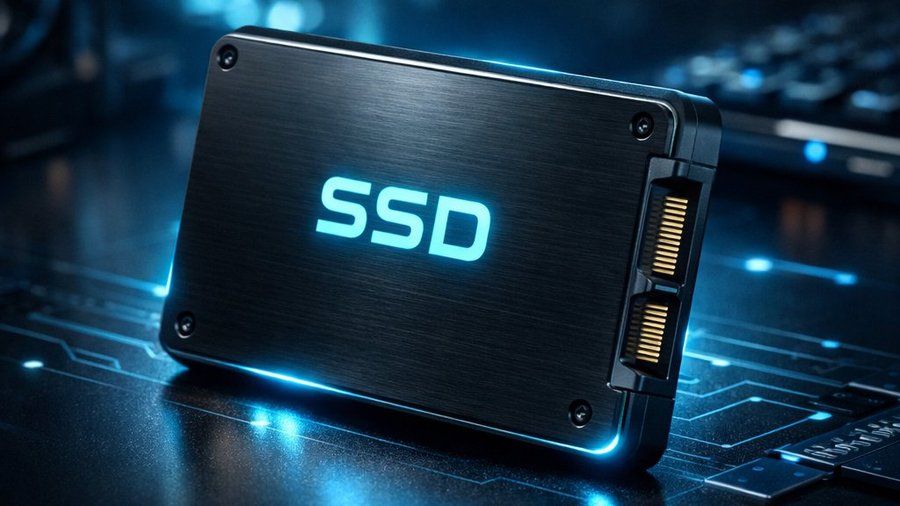
What Is an SSD Hard Drive Upgrade?
Traditional computers come with a mechanical hard disk drive (HDD) that stores data on spinning magnetic platters. These drives are slow, fragile, and one of the main reasons older computers feel sluggish. An SSD hard drive upgrade replaces that old spinning disk with a solid state drive — a chip-based storage device with no moving parts. The result is dramatically faster read and write speeds, improved reliability, and a noticeably snappier machine overall.
According to Crucial’s SSD vs HDD overview, solid state drives can be up to 10x faster than traditional hard drives for everyday tasks. Most clients are genuinely surprised at how different their computer feels after the upgrade.
SSD Hard Drive Upgrade Pricing — Flat Rate
Our pricing includes the new SSD drive plus a full sector-by-sector clone of your existing drive. No data loss. No reinstalling Windows. No hunting for drivers.
- 120 GB SSD upgrade — $95
- 256 GB SSD upgrade — $120
- 512 GB SSD upgrade — $125
- 1 TB SSD upgrade — $175
Pricing subject to current drive market prices. Most upgrades completed same day.
How Our SSD Upgrade Process Works
We perform a complete sector-by-sector copy of your current hard drive and load it onto the new SSD. Everything transfers exactly as it was — your files, your programs, your desktop layout, your browser bookmarks, your Windows activation. There is nothing for you to set up or reinstall.
The process typically takes 1–3 hours depending on how much data is on the drive. Most customers drop off in the morning and pick up the same afternoon. For clients who prefer, we also offer in-home service throughout the Danbury area — we come to you, swap the drive, and leave your computer running faster than it ever has.
Even computers that are 8–10 years old benefit enormously from an SSD hard drive upgrade. Clients regularly go from 3-minute boot times down to under 15 seconds. Almost everyone says the same thing: “I had no idea my computer could be this fast.”
Signs Your Computer Needs an SSD Hard Drive Upgrade
Not sure if your machine is a candidate? These are the most common signs we see:
- Windows takes more than 60 seconds to fully boot
- Programs are slow to open even after a fresh restart
- You can hear the hard drive clicking or grinding
- The task manager shows disk usage pinned at 100% constantly
- Your computer is more than 4 years old and has never had an upgrade
If any of those sound familiar, an SSD upgrade will almost certainly resolve the issue. In many cases it’s a far better value than buying a new computer — especially if your current machine is otherwise working fine. As PC Magazine notes, an SSD upgrade is often the most impactful single hardware change you can make to an aging PC.
Service Area — Danbury CT and Surrounding Towns
We provide SSD hard drive upgrade service throughout Fairfield and Litchfield County, including Danbury, Bethel, Brookfield, Newtown, New Fairfield, New Milford, Ridgefield, Monroe, and Sherman. Pickup and drop-off is complimentary within 15 miles of our office. A small travel fee applies beyond that range.
Book Your SSD Hard Drive Upgrade
Call (203) 628-2982 or send us a message. Free estimates always provided. Most jobs completed same day. We’ve been serving the Danbury area since 2002 — affordable, local, and reliable.
Related Services
If your computer is slow even after an SSD upgrade, a PC tune-up can clear out startup junk and background processes. Want to make sure your files survive a drive failure? Our computer backup service keeps a secure copy of everything important.